

Tools of the Trade: Clockify
Tick tock ...

In the last weeks of December, while I was doing some planning for 2024, I looked at how my writing time ROI for 2023 was measuring up. (TL/DR: I’m not going to get rich with this hobby, but I sure am having fun!) Since I only had the stats for writing time as recorded by NovelPad, though, I knew that I was missing out on counting a whole lot of additional time spent on making Cornelia Quick International Enterprises run: while I suspect Stephen King, Danielle Steel, and Nora Roberts can spend most of their time writing and thinking, I don’t have a team on hand to do all the other work that falls on the independent author’s shoulders.
I want to spend more of my time on the writing and thinking, though, and so figuring out where the other time goes is critical. Am I spending my time on things that are valuable, or am I frittering away my precious minutes on useless tasks?
To try to get a handle on that, I’ve started using Clockify, a web-based time tracker. I’ve used, and even written, time trackers before, and I poked around on a few sites before landing on Clockify: it’s got a simple interface, a good set of features, and looks like it will give me some of the answers I’m looking for (even if they’re not necessarily the answers I want).
Clockify lets you create projects, and tasks within projects, against which to track your time. I’ve created projects for each of my works in progress, with tasks of “Drafting”, “Editing”, “Covers”, and “Publishing”, and also “General Admin”, “Social Media”, “Medium”, “Substack”, and “Blog” projects with their own tasks. Since I try to use the Pomodoro Method to avoid too much multitasking, it’s relatively easy to fit the habit of starting and stopping the timer as I switch from task to task. I want the buckets of time to be relatively big: I could parse the “General Admin” into a lot of fine slices, for example, but I would probably end up spending more time tracking time than actually doing tasks, so that project consists of" “Newsletter”, “Sales Analysis”, and “Planning” buckets.
I’ve only been tracking for a couple of weeks, so I don’t have any huge insights yet from the pretty reports the tool generates:
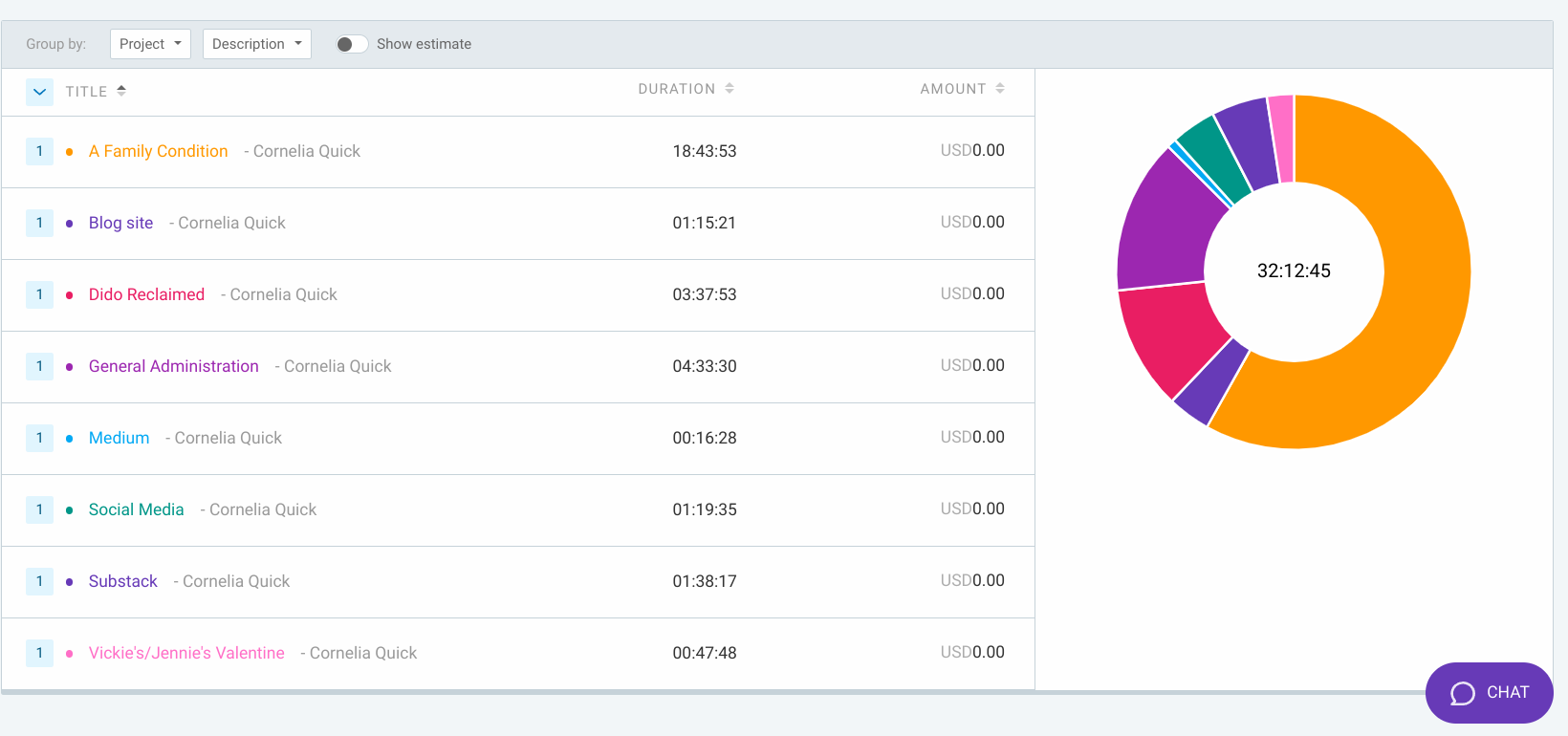
My use of the tool does show that NovelPad’s time count is a bit on the low side, as I suspected: I think it counts when I type but not when I stare at the screen, whereas Clockify chugs along in the background during the whole session. So far NovelPad thinks I’ve worked on my current story, “Dido Reclaimed,” for about 2 hours and 45 minutes, but Clockify counted the 45 additional minutes I spent in blank bafflement waiting for words to flow.
Tracking the time spent on social media may be insightful; I’m fairly certain I don’t get a lot of sales from social media, but I do get some good interactions with readers and other writers, so it’s a bit of a mixed bag. Having the timer run is an enticement to behave myself during admin tasks and not get distracted: I don’t want my time spent on newsletters, for example, inflated by my poking around in other writers’ newsletters, which I will sometimes do when putting mine together. (I’ve got a separate weekly sales newsletter, by the way, that you can sign up for: it’s where I announce deals and share other writers’ offerings.)
It was an interesting revelation that it took me about an hour to go through the publishing steps for “A Family Condition”:

I count the creation of the EPUB, the notice to subscribers, the sharing on various sites, and the actual upload process in the “Publishing” bucket. This is a not-safe-for-Amazon story, so it only went out to Smashwords and Payhip (including a version with a somewhat filthier cover); it will be interesting to compare this to titles that go out just to Amazon, or to Amazon and everywhere.
The insights from this little project may or may not pay off; I’m hoping it will at least indicate places where I can trim out tasks that aren’t serving me so I can focus on the successful parts more.